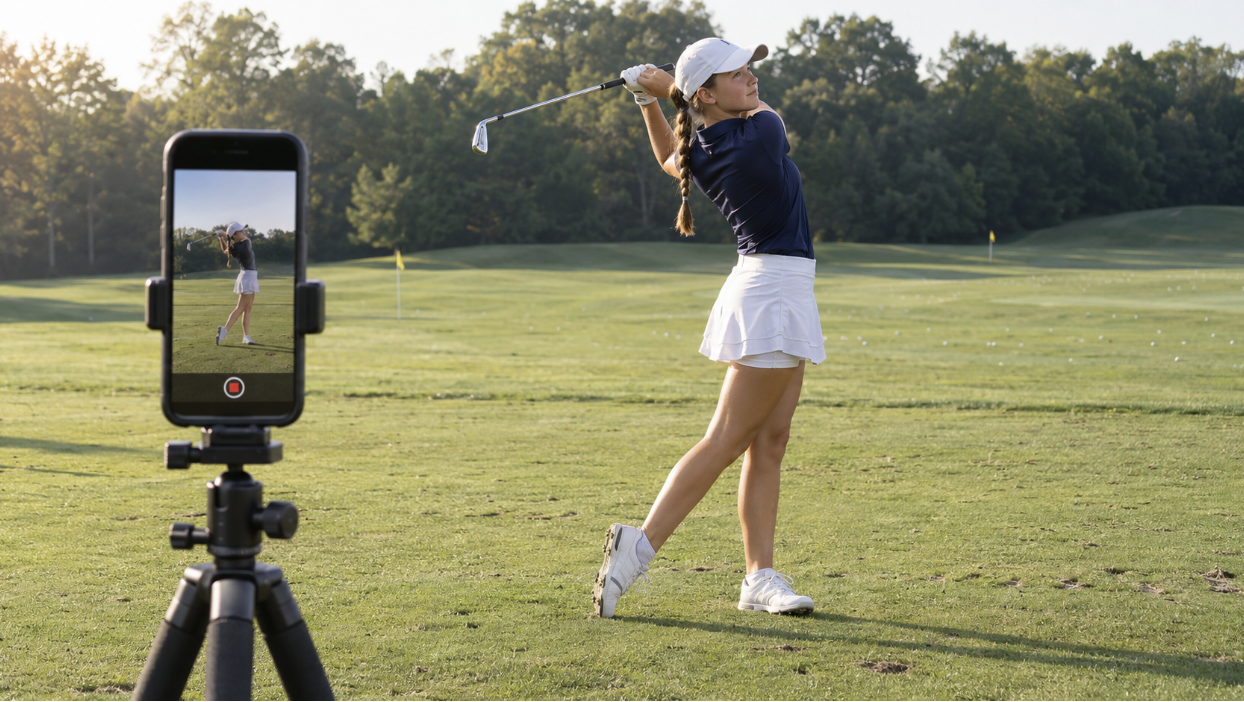
A useful golf recruiting Instagram makes it easy for a college coach to learn who you are, watch your swing, and find your tournament results. You do not need a large following or professionally edited videos to do that.
For families navigating junior golf recruiting, the best starting point is accurate information and a few useful posts. Then connect the account to your coach outreach so it supports the recruiting work you are already doing.
Make Your Bio Useful to a Coach
A coach who opens your profile should be able to identify you quickly. Use a recognizable profile photo and a username that includes your name when possible.
Prioritize your name, graduation year, and state or region in the bio. Add your GPA if it strengthens your profile and there is room. Use the profile link to direct coaches to current results, swing video, or a recruiting profile. Keep the details consistent with your recruiting emails.
A simple example:
Alex Morgan | Class of 2028
Northern California | 3.8 GPA
Share Swing Videos That Are Easy to Evaluate
Give coaches a clear view of your current swing. A practical starting set is a driver and an iron filmed from both face-on and down-the-line angles.
Keep the camera steady and far enough away to show your entire body and club throughout the swing. Use good light, hit an actual ball, and label the club and filming date. Include normal-speed footage so the viewer can see the swing's rhythm.
Music, fast cuts, and dramatic transitions can distract from the information. A few clear clips are more useful than a long montage that makes the swing difficult to see.
Refresh the video when it no longer represents your game. If a coach asks for a particular angle or shot, send that directly rather than assuming an older post answers the request.
Post Tournament Results With Context
A useful tournament update explains what happened. Include the event name, dates, round-by-round scores, finish, and number of players in your division. Add course yardage or notable conditions when they help explain the result.
For example, a fictional update might read:
“T-8 of 42 at the Valley Junior Championship, November 14–15. Rounds of 74–72 from 6,700 yards. Improved my approach play on day two and am working on distance control with wedges before my next event.”
Provide a way to reach the complete results through your profile or the update you email to coaches. A trophy photo alone gives much less information than scores and a finish in context.
You can share progress without turning every round into a success story. Be accurate about the result, acknowledge what needs work, and keep the tone respectful toward the course and other players.
Let Coaches See How You Approach the Game
Practice clips and occasional reflections can add personality to your profile. Explain what you are working on and why it matters to your scoring. A short putting drill with a specific goal tells a viewer more than a generic caption about working hard.
Keep posts, comments, and interactions appropriate for someone evaluating you as a potential teammate. A separate golf account can help organize recruiting content, but your other public activity still reflects how you present yourself.
There is no need to document every practice session. Post when you have something useful to share, and keep your attention on improving and competing.
Use Instagram in Your College Golf Recruiting Process
Include your golf Instagram as a supporting link in your introductory email. Keep your graduation year, academics, key results, and upcoming schedule in the email itself so a coach can assess the basics immediately.
Our guide to contacting college coaches explains how to organize that first message.
Continue sending meaningful updates directly to your target programs. Posting a result does not mean those coaches saw it. Likewise, a follow, like, or brief message does not by itself establish a roster offer or scholarship opportunity. Look for clear conversations about the program's interest and next steps.
Instagram works best alongside a realistic school list. Our guide on how to choose a college golf program can help you identify where to focus your outreach.
Check Whether Coaches Can Access Your Content
Before relying on an Instagram link, check what someone who does not follow you can see. If your account is private, have another way to share current video and results directly.
Instagram Teen Accounts include privacy and messaging protections, and teens under 16 need parental permission to make those protections less strict. Work within the settings appropriate for your age and family. A private account can still support recruiting when coaches receive the materials they need through email or another accessible video link.
You do not need an Instagram account to pursue college golf. The important part is giving coaches useful, current information through a channel they can access.
Build a Profile That Supports Your Recruiting Plan
Before sharing your account, check that your graduation year is correct, your video is current, your results include context, and your links work. Then keep the account updated as your tournament record develops.
Our guide to getting recruited for college golf explains how those materials fit into the broader process.
At Athlos College Coaching, we help junior golfers and families assess their results, build realistic school lists, and prepare recruiting materials that make coach outreach more effective. If you need help deciding what to share and which programs to contact, we can help you put those pieces into a clear plan.